Phantom PHANTOM OF INFERNO NITRO ARCHIVE Getting Started
From Steam checkout to Zwei's first night, without mixing up which Phantom you bought.
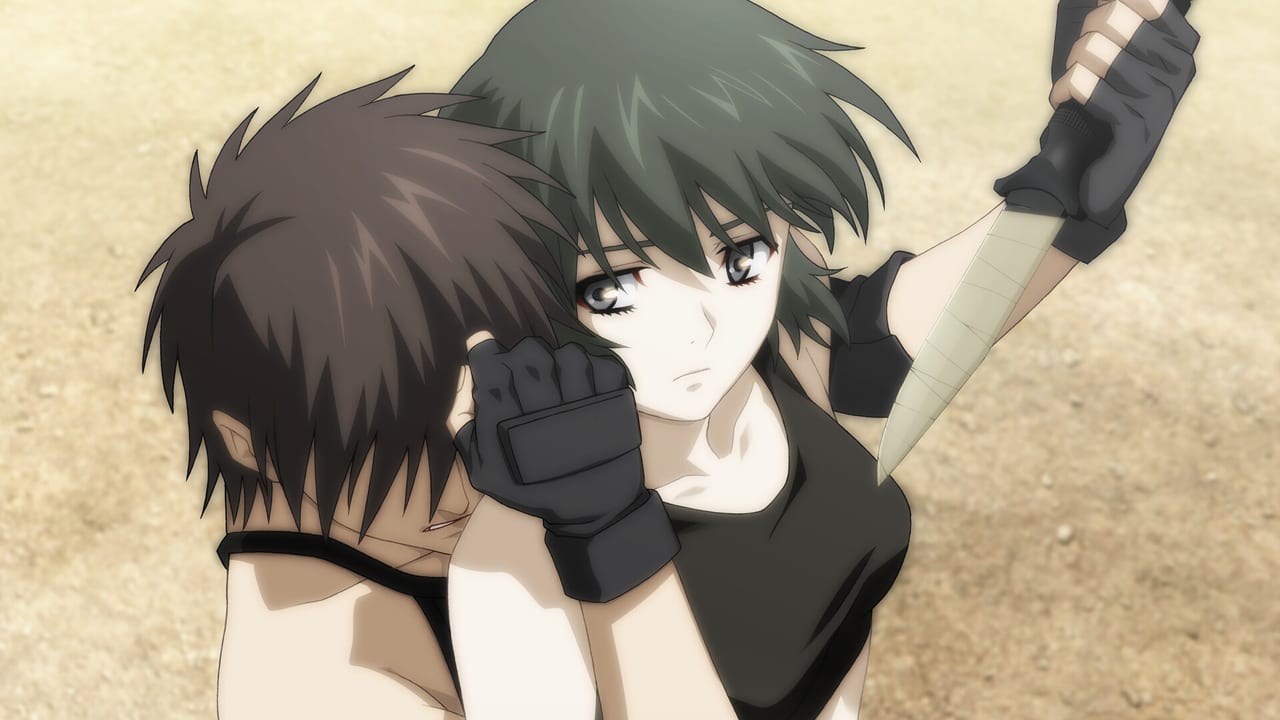
Phantom PHANTOM OF INFERNO NITRO ARCHIVE is the 2026 Steam release of NITRO ORIGIN’s debut neo-noir adventure. You buy it once, you play it alone, and you read it as a cinematic ADV: click to advance, pick a line when the game asks, and live with flags that survive into later chapters. This page is the day-one briefing. It does not walk every branch. It tells you what you installed, how to launch it in the language you want, how the first hour is supposed to feel, and which save habits stop you from trapping a whole route in one overwritten slot.
The Steam app ID is 3639590. Developer credit is NITRO PLUS / NITRO ORIGIN. The publisher is NITRO PLUS. Scenario is Urobuchi Gen’s debut, with Yasukawa Shogo and Morimiya Takashi. The worldwide store date is 3 September 2026; Japanese announcements used 4 September. List price is ¥3,500 / $29.99, with a launch introductory discount on Steam. Recommended age is 15+. Voices are Japanese only.
What NITRO ARCHIVE is, and how you install it
NITRO ARCHIVE is a label, not a new scenario. The Steam build matches the 2013 Windows port of the 2012 Xbox 360 remake. That remake replaced the 2000 PC original’s art with anime character designs, recorded the 2009 television voice cast, and folded in extra scenes that originated in the TV series. If you owned the 18+ 2000 disc, you are not installing that game. Adult scenes from the original are not in this version. If you only know Phantom: Requiem for the Phantom, you are closer: faces, voices, and some extra beats match that production, but this is still the game’s three-chapter branching structure, not a straight recap of the broadcast order.
Buy it from the Steam store page. Confirm Windows 11, DirectX 11, 8 GB RAM minimum (16 GB recommended), and 4 GB of free storage before you press Play. Native output is 1920×1080 32-bit TrueColor; screen size is variable. The full table lives on system requirements. After Steam finishes the download, launch once and open Config before you sink an hour into New Game. Pick Japanese, English, or Simplified Chinese for interface and subtitles. Voice acting stays Japanese. This wiki localizes in English and Japanese; the game itself also ships Simplified Chinese text.
Official art, character blurbs, and the product sheet are on the NITRO ORIGIN game page. Startup environment, launch steps, and control diagrams belong in the official online manual. Use those two when a menu label in the live build disagrees with a wiki summary. Typical mouse and keyboard habits are written out on the controls guide. There are no promo codes. Do not hunt for a codes page; spend that time on a clean first save instead.
First-hour flow
Start a New Game and let the opening run. Reiji Azuma is a Japanese tourist in the United States. A string of mafia assassinations has the underworld whispering about Inferno, a syndicate, and about Phantom, the title of its deadliest assassin. Reiji crosses that rumor in person. The Phantom he meets is Ein, a girl close to his own age. Inferno does not let witnesses walk away. Memories are stripped. The boy who remains is trained as an assassin and given the name Zwei.
The first block is training, not a tutorial dungeon. Ein drills knives, firearms, and the habit of treating people as targets. Scythe Master is the man who built Ein and who spotted Zwei’s instinct on the run. Claudia McCunnen is the young Inferno executive who notices the new asset and starts making her own calculations. You will be asked to pick guns, to speak or stay quiet, and to decide whether you still have a self under the conditioning. Those picks are flags. They do not pop a heart meter. They decide who still answers you in Chapter 2 and which ending doors exist in Chapter 3.
Play the first night and the first jobs without a spoiler map if you want the shock the script is built around. Keep one extra save before you commit to Ein or Claudia as a focus. When you want a chart, move to the walkthrough. How flags, skip, and extras actually work is on How to Play. Typical play time across the three chapters is around twenty hours if you are not hunting every CG on the first loop.
Save habits and the password system
Open the menu and look at your save slots before the first choice, not after you already regret it. Keep at least three living files in Chapter 1: one rolling slot you overwrite as you read, one freeze before a major fork, and one chapter-start copy you never touch. Name them in your head even if the UI only shows dates. Phantom will let you ruin a later route by overwriting the only file that still had Ein’s flags.
Between chapters the game uses a password system. When a chapter ends, write the password down outside the PC. The password carries your flags into the next chapter so you can resume without rereading every line. Do not treat a password as a recap of scenes you skipped; it is a bundle of route state. If you want a different Chapter 2, you need a different Chapter 1 result, not a new password typed at random. Pair passwords with the save files that produced them. The endings guide is where those flags are listed on purpose. This page only insists that you keep the paper.
There is no recollection mode. You cannot open a scene list and jump to “that one conversation in the car.” If you missed a CG, you replay from a save or restart a chapter with the matching password. CG mode and sound mode exist in extras once unlocked. That is why slot hygiene matters more here than in a modern VN with a flowchart.
15+ warning, original game, and the anime
The Steam package recommends ages 15 and up. Expect assassinations, gunfights, syndicate politics, memory wipe, and conditioning. The tone is hardboiled on purpose; Urobuchi Gen’s debut is already the writer later audiences associated with bleak choices. The 2000 PC original was 18+ and included adult scenes this remake does not. If you came from that disc looking for the same scenes, stop and read the product sheet again. If you came from the 2009 TV series, expect shared faces and voices, extra anime-origin scenes, and a game that still branches into more than ten endings instead of a single broadcast plot.
The 2009 series is Phantom: Requiem for the Phantom. The 2012 Xbox 360 remake adopted that look and cast. The 2013 Windows version is the reverse-port of that remake. Steam in 2026 is that 2013 content, not a 4K rewrite and not a new third chapter. Opening movie footage from the Xbox 360 remake is the same production this Steam build is based on.
When the first hour is done, you have three jobs: keep those saves, decide whether you are still reading blind, and pick the next wiki page. Mechanics stay on How to Play. Keys stay on the controls guide. Choice order stays on the walkthrough. Character pages live under characters. Specs stay on system requirements. The rest of this hub is indexed from the Guides Hub.
Frequently Asked Questions
Quick answers for new Steam players and returning fans.
What does NITRO ARCHIVE mean?
It is the Steam label for the 2013 Windows port of the 2012 Xbox 360 remake: anime designs, the 2009 TV voice cast, and extra anime scenes. It is not the 2000 18+ original.
Which language should I choose on first launch?
Pick Japanese, English, or Simplified Chinese text in Config. Voices stay Japanese. Bindings and window options are on the controls guide.
How do chapter passwords work?
When a chapter ends, record the password. It carries flags into the next chapter so you can continue without rereading every line. Pair it with the save that produced it.
Is the 15+ recommendation serious?
Yes. The script is built on assassination, guns, and conditioning. The original 2000 adult scenes are not in this build, but the crime story is still harsh.
Should I watch the 2009 anime before playing?
No. The Steam game is the branching ADV. The anime shares designs and cast and adds some scenes, but it is not a substitute for the three chapters. See the Phantom Wiki for version history.
What should I read after the first hour?
Stay on How to Play for flags and extras, or open the walkthrough when you want to branch on purpose.